S3Dock
Turn your own object storage bucket into a practical Android cloud drive with file browsing, media preview, uploads, offline access, and direct provider control.
Built for user-owned storage
S3Dock does not provide a cloud account. You connect your own Amazon S3, Cloudflare R2, MinIO, Wasabi, Backblaze B2, DigitalOcean Spaces, or another S3-compatible object storage endpoint.
This is useful when a normal cloud drive plan does not match how you store files. Object storage lets you choose the provider, bucket, region, and pricing model instead of being locked into one fixed consumer cloud service.
Demo and screenshots
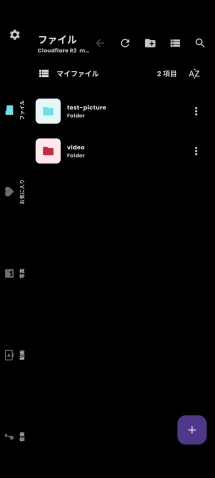
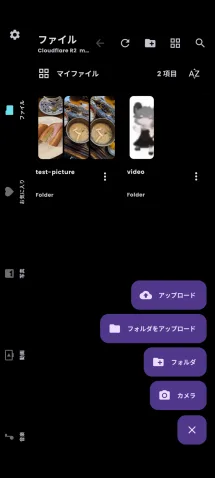
The short demo below shows S3Dock being used as a mobile file manager for an object storage bucket.
Why use object storage as a drive?
Many cloud drives are convenient, but they can be awkward for large personal archives, media folders, or PC-to-phone file exchange. You may pay for a large plan even when you only use part of it, hit upload limits, wait on slow bulk transfers, or find it difficult to move everything to another service later.
With an object storage bucket, you can keep the storage layer independent:

What S3Dock is good at
- Managing files in buckets without a developer-operated file server
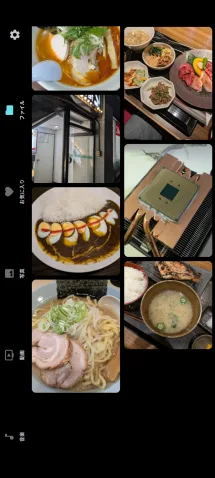
- Previewing photo and video folders from object storage
- Playing music from your bucket, including background audio playback
- Keeping selected files offline for travel or unstable networks
- Using multiple providers and buckets from one app
- Importing and exporting app settings or database backups when moving devices
Designed for realistic storage workflows
S3Dock is intended for people who already use object storage or want to use it as a more flexible personal cloud. It keeps the S3-compatible bucket structure visible, but adds mobile-friendly views such as Photos, Videos, Music, Documents, Favorites, Offline, Transfers, grid view, masonry view, search, sorting, and folder previews.
Privacy-first architecture
The app connects directly from your Android device to the storage endpoint you configure. S3Dock does not operate a developer-controlled server for your files or credentials.
Connection details stay on your device unless you explicitly export a backup that includes them. If you open a private file in another app, S3Dock uses a short-lived signed URL so the selected app can access that file temporarily.